Posts

Use of Technology in the new A level Mathematics qualifications

Last Friday (8th April) the DfE published the GCE subject-level guidance for mathematics.  This guidance is for awarding bodies to help them in designing their specifications and assessments.  The full document can be found at: https://www.gov.uk/government/publications/gce-subject-level-guidance-for-mathematics Requirement for awarding bodies to explain how use of technology will permeate the study of mathematics In the Overarching themes and use of technology section: “ Paragraph 8 of the Content Document states that – 8. The use of technology, in particular mathematical and statistical graphing tools and spreadsheets, must permeate the study of AS and A level mathematics. This statement should be interpreted primarily as indicating the desired approach to teaching GCE Qualifications in Mathematics. However, this statement also has implications for assessments. Consequently, in respect of each GCE Qualification in Mathematics which it makes available, or proposes to make...

Maths on a Smartphone

Image
I recently gave a talk about doing Maths on a smartphone.  I chose four of my favourite apps.  I like these apps because in all of them there are opportunities to think and work mathematically, not just passively observe prepared material. MyScript Calculator MyScript is really easy to use – you just write the calculations with your finger. Android: https://play.google.com/store/apps/details?id=com.visionobjects.calculator&hl=en_GB iOS: https://itunes.apple.com/gb/app/myscript-calculator-handwriting/id578979413?mt=8 Problem to try: What’s the maximum product of a set of positive numbers that sum to 19? Desmos Desmos is a very user-friendly graphing calculator.  In my experience most people find the interface intuitive and are able to work with it very quickly. Android: https://play.google.com/store/apps/details?id=com.desmos.calculator&hl=en_GB iOS: https://itunes.apple.com/gb/app/desmos-graphing-calculator/id653517540?mt=8 Problem to try: What...

GeoGebra App for Android phones

Image
GeoGebra have recently released a version for Android phones. Having played around with it it seems very responsive. The ability to select/drag objects and the speed that it updates appears to be really good - much better than when viewing GeoGebra worksheets via a browser. An example: gradient of the tangent to a curve at a point     This is an example that shows how the gradient of the tangent to a curve at a point varies with the point.  The app is so quick and easy to use that this took me 17 seconds to create (I timed myself!). Use of smartphones in classrooms This app presents a fantastic opportunity to put dynamic maths software into the hands of students.  As I've commented on before, I think the real benefits of technology come when students are using it.  In addition to this there are significant advantages when this is on a device that students have an attachment to and feel ownership of.  Most people feel their own phone is a devic...

GeoGebra Global Gathering 2015

Image
Last week I attended the GeoGebra Global Gathering in Linz, Austria.   There were lots of fantastic ideas being demonstrated but these are a few of my highlights that I think I’ll be making use of … Students creating animations It was great to see some ideas from Fabian Vitabar from Uruguay about student tasks that involve them creating animations in GeoGebra.  There were two different suggestions for doing this – one was to get the students to create an animation such as a bouncing ball by animating points appropriately and then adding images to make the animation look like a real scene.  The other was to create some more pure maths based animations such as moving points around a polygon.  You can see a GeoGebraBook of his talk and some examples at: https://tube.geogebra.org/b/1408699#material/1408705 .  I think it could be very motivating to students to create animations like these and there is a lot of maths that they’ll need to sort out for themsel...

To use or not to use calculators: a false dichotomy

Image
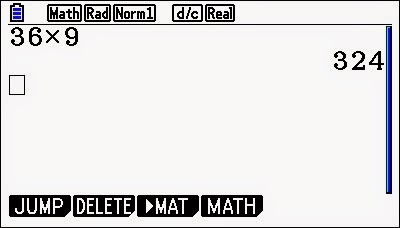
The issue of whether to use calculators when teaching students maths seems to worry a lot of people.  The argument for is often presented as the use of calculators is part of the modern world and, by having access to answers to calculations rapidly, students are more likely to be able to understand relationships.  The argument against is that they reduce students' calculation skills which can impact negatively on understanding and also that they over-rely on them and are unable to spot errors as they believe the number on calculator must always be the correct answer. I think that this is a false dichotomy that is caused by a misunderstanding of what mathematics is and the low quality of many of the questions that students are asked to do in mathematics classes. A question Here's a fairly typical question: what is 36 × 9? Do you think students should do this with or without a calculator? My answer is (to both questions) - I don't care! This is an absolutely point...

Video: Integrating technology into the teaching and learning of mathematics

Image
This a video featuring Charlie Stripp and me talking about integrating technology into the teaching and learning of mathematics, recorded at this year's MEI Conference.

How to Break Excel

Image
Last weekend was the annual MathsJam Conference.  If you haven’t been (or even if you have) I highly recommend it.  For more details see: http://www.mathsjam.com/conference/ The format is talks of maximum length 5 minutes on anything you find interesting.  This year I gave a talk on “How to Break Excel”. How to Break Excel A commonly occurring “error” in Excel happens when you type 1 into cell A1, =A1-0.1 into cell A2 and then drag this down to cell A11. This problems occurs due to the way Excel stores numbers: it uses floating point arithmetic with 1 bit for the sign, 53 bits for the mantissa and 10 for the exponent.  This means that the number we think of as 0.1 in base 10 is actually stored in binary as: 0.0001100110011001100110011001100110011001100110011001101 Similarly 0.9 in base 10 is stored in binary as 0.11100110011001100110011001100110011001100110011001101 This means that every time you use 0.1 in base 10 Excel is actually using: At...